---
title: Embed Label Studio - Beta 🧪
short: Embed Label Studio 🧪
type: guide
tier: enterprise
order: 409
order_enterprise: 409
meta_title: Embed Label Studio
meta_description: Overview information for embedding Label Studio Enterprise in an external application.
section: "Integrate & Extend"
---
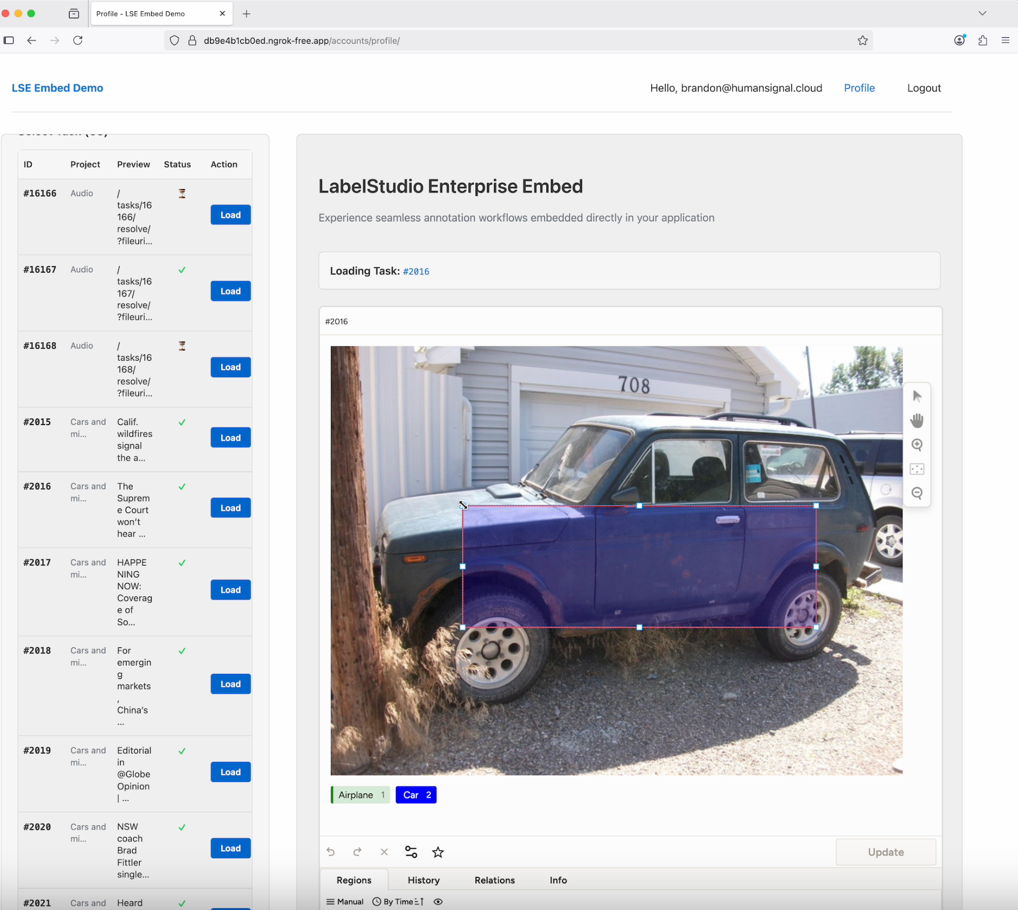
Label Studio Embeds allow you to seamlessly integrate annotation and review functionality into your own applications.
!!! note
This feature is not available to all customers. Contact your [HumanSignal account manager](mailto:sales@humansignal.com) to enable.
Before you begin, ensure you have:
* Label Studio:
* You must have the Owner role in Label Studio.
* From **Organization > Settings > Access Token Settings**, ensure that at least one option is enabled.
* Your external application:
* Access to your server backend (to generate signed tokens).
* The URL where your embed will be hosted.
## Authorization
At a high level, the embed process is a secure handshake between your app and Label Studio:
1. A user logs into your external app.
2. Your backend signs a JWT with their `user_email`, `organization_id`, and `project_id` using your private key.
3. Your frontend initializes the Label Studio embed with `id`, `url`, and `token`.
4. Label Studio validates the JWT and issues its own internal token.
```mermaid
sequenceDiagram
participant User
participant YourApp as Your App (Frontend & Backend)
participant LSE as Label Studio Enterprise
User->>YourApp: Logs in
YourApp->>YourApp: Backend signs JWT (user_email + organization_id + project_id)
YourApp->>User: Sends JWT to frontend
User->>LSE: Initializes Embed with (id, url, token)
LSE->>LSE: Verifies JWT with Public Key
LSE->>User: Issues Internal Token
User->>LSE: Annotates, Reviews, Uses Embed
```
### Generate a JWT on your server
You must begin by generating a JSON web token (JWT) that authenticates Label Studio.
You will also need to generate a base64-encoded public URL key, which you will add to Label Studio.
JWT claims required:
```json
{
"user_email": "user@example.com",
"organization_id": 12345,
"project_id": 67890,
"iat": 1692445200,
"exp": 1692452400
}
```
!!! note
`exp`, `organization_id`, and `project_id` are required. Each accepts a positive integer or a string of digits. `exp` is a Unix timestamp in seconds and must fall within your organization's token lifetime (60 minutes by default). `project_id` scopes the embed to that project and must match the project in the embed URL. `iat` is optional.
**Notes:**
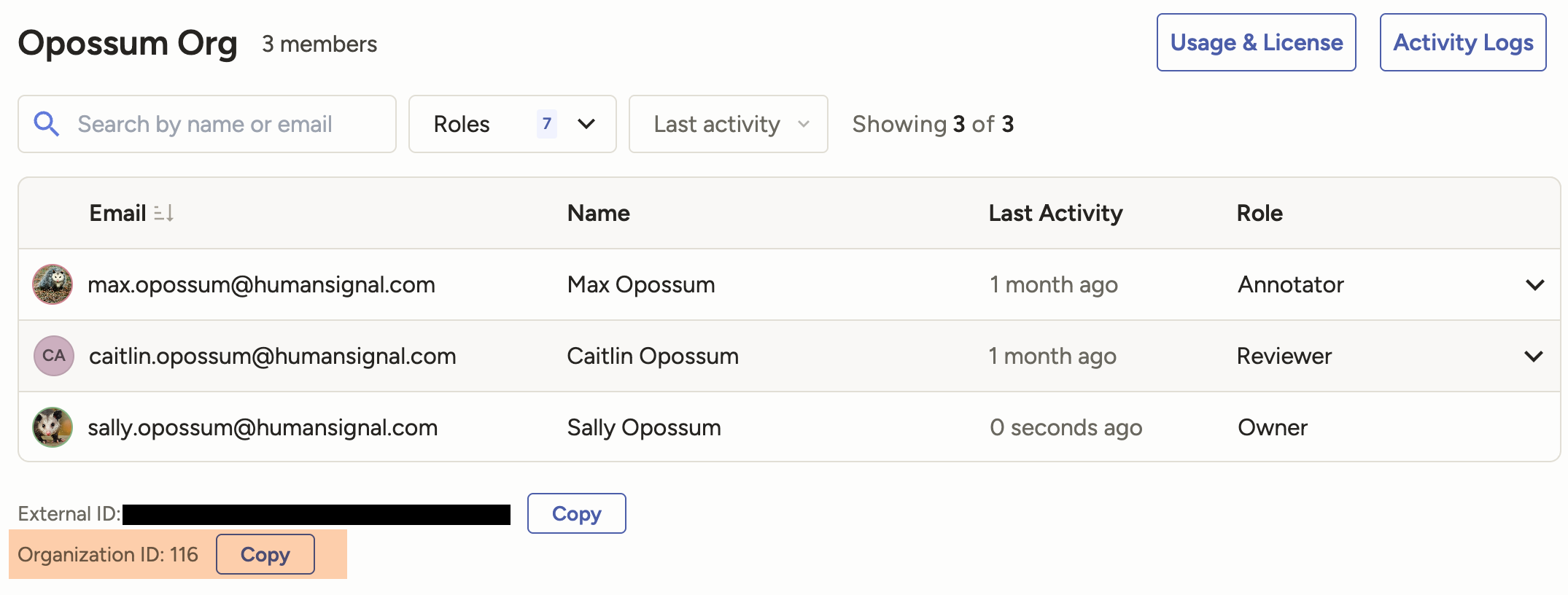
* You can find your organization ID from the **Organization** page in Label Studio.
* The example below uses RS256 as a verification algorithm, but you can find a full list of supported algorithms from **Organization > Usage & License > Embedding**.
* The public key must be stored in Label Studio in base64-url encoded format.
#### Example: Node.js (jsonwebtoken)
```javascript
const jwt = require("jsonwebtoken");
const fs = require("fs");
const privateKey = fs.readFileSync("./private.pem");
const token = jwt.sign(
{
user_email: "user@example.com",
organization_id: 12345,
project_id: 67890,
},
privateKey,
{ algorithm: "RS256", expiresIn: "1h" }
);
console.log(token);
```
## Configure embedding in Label Studio
From Label Studio, go to **Organization > Usage & License > Embedding** and complete the following fields:
| Field | Description |
| :---- | :---- |
| **Supported domains** | List the domains of your external application where you will be adding an embedding. |
| **Public Verification Key** | This must be a base64-url encoded key. |
| **Public Verification Algorithms** | The algorithm you used when creating your key. |
| **Embed SDK** | Add this to your application to initialize the embedding. |
## Configure an embedding page in your external application
At a minimum, you need to add the **Embed SDK** script to an HTML page in your application. For example:
```xml
```
But to maximize the usability of your embedding, you can also include additional Label Studio elements. See our [Frontend Reference](frontend_reference).
Here is an example:
```xml
```
## Troubleshooting
**Blank/white screen**
* Domain not listed in **Supported Domains** within Label Studio.
* Misconfigured/missing public verification key
* Misconfigured/missing public verification algorithms
* Verification of the external JWT failed to verify one or more of the claims provided (invalid JWT).
* Active organization of the user was different than specified in the JWT claims.
* Your org has not enabled legacy API tokens or personal [access tokens](https://docs.humansignal.com/guide/access_tokens) (need at least one).
* User with the provided `user_email` does not exist on `LabelStudioEnterprise`
**HTTP errors in SDK**
* 403 (permission errors)
* User is not a member of the Project
* Task was not assigned to a user, but attempted to load
* User did not have access to an annotation or prediction, but it attempted to load anyways
* 404
* Task was not found
* Other non-HTTP errors that caused a logical problem in the system.