How to Review Tasks in Label Studio
Welcome to the reviewer tier!
In this document, we’ll cover the essentials of reviewing annotation tasks. High-quality training data depends on high-quality review, so the goal is to approve work that is accurate, consistent, and aligned with the project’s guidelines.
Reviewers are the proofreaders and editors of human data, ensuring that what goes out is presentable and drives good future data back to the team. Reviewers tend to be held at a higher standard because your knowledge of the strategies and the protocols are essential in keeping the team streamlined.
While an annotator is only responsible for the work they generate, reviewers are in charge of every task that comes into their queue, regardless of the original owner.
When there is only one review layer, after you review a task, it immediately goes to production. This would mean a reviewer mistake can snowball into larger issues than an annotator mistake would.
In some projects, there are multiple layers of review. After you complete your review, a secondary review may serve as a final audit or provide the deciding vote when the annotator and first reviewer disagree on how a task should be labeled.
What You Need
Most items that you used as an annotator can also be used for your reviewer work. However, there will be some additional materials and accesses you would need to get your work done.
Computer: Please make sure to confirm with your team lead that your existing work computer is suitable for your target projects.
Reviewer Project Protocols:When you move to the reviewer tier, your team lead or a veteran reviewer would likely provide you access to the separate workflows and project steps. Usually, this would be accompanied by a live class or a recording to review independently.
Updated Account Permissions:When you become a reviewer, your team lead needs to update your account, as permissions allow you to see different features on the same project as annotators.
Frequently Asked Questions:
How do I access Label Studio?
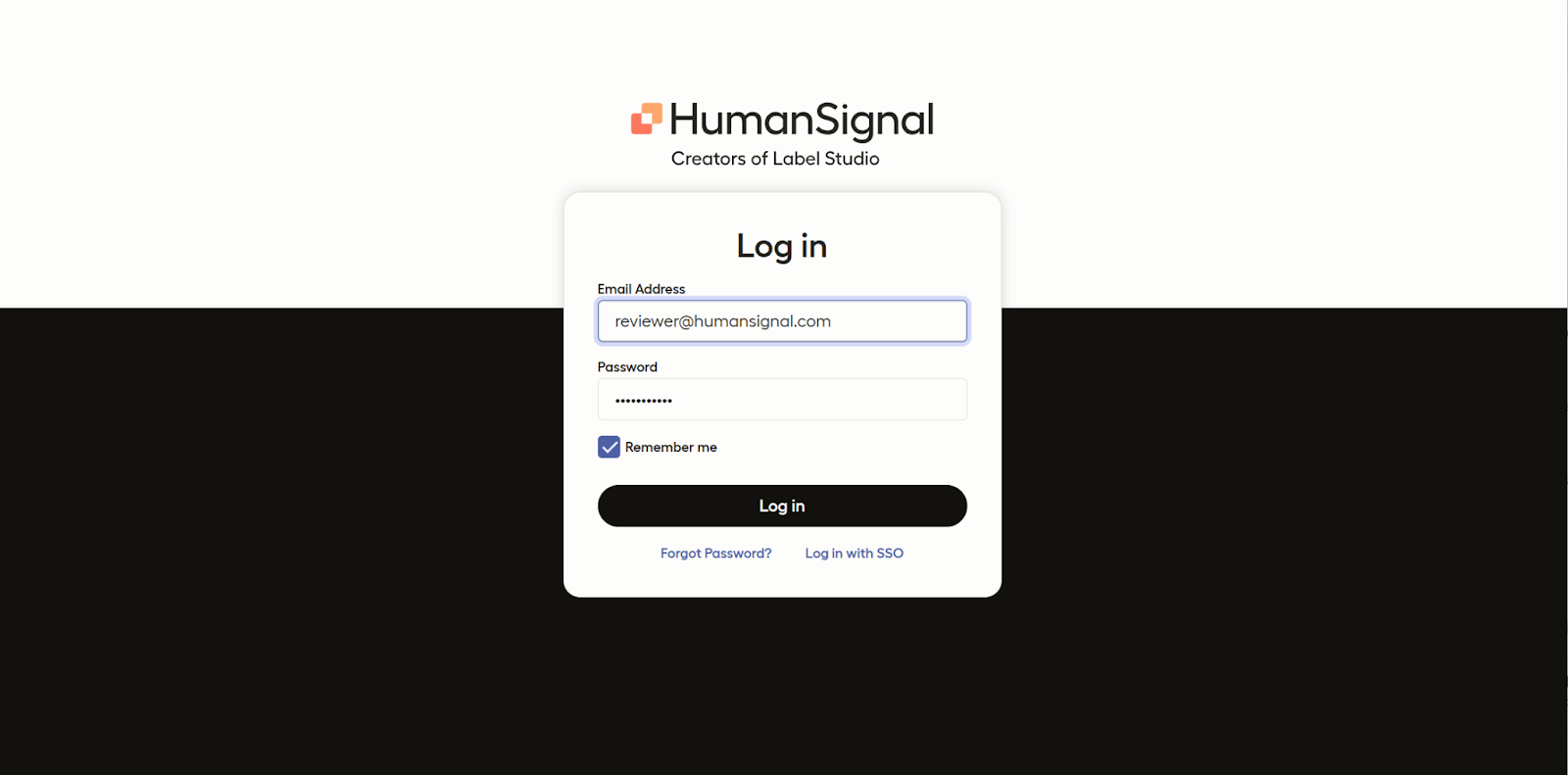
When you initially receive access to Label Studio, you will receive an email and a link to sign up.
To access your company’s projects, use the information you provided at sign up to log in.
(Location link may vary depending on whether your team works directly on Label Studio or in your company’s own integrated workspace.)
How Do I Find My Projects?
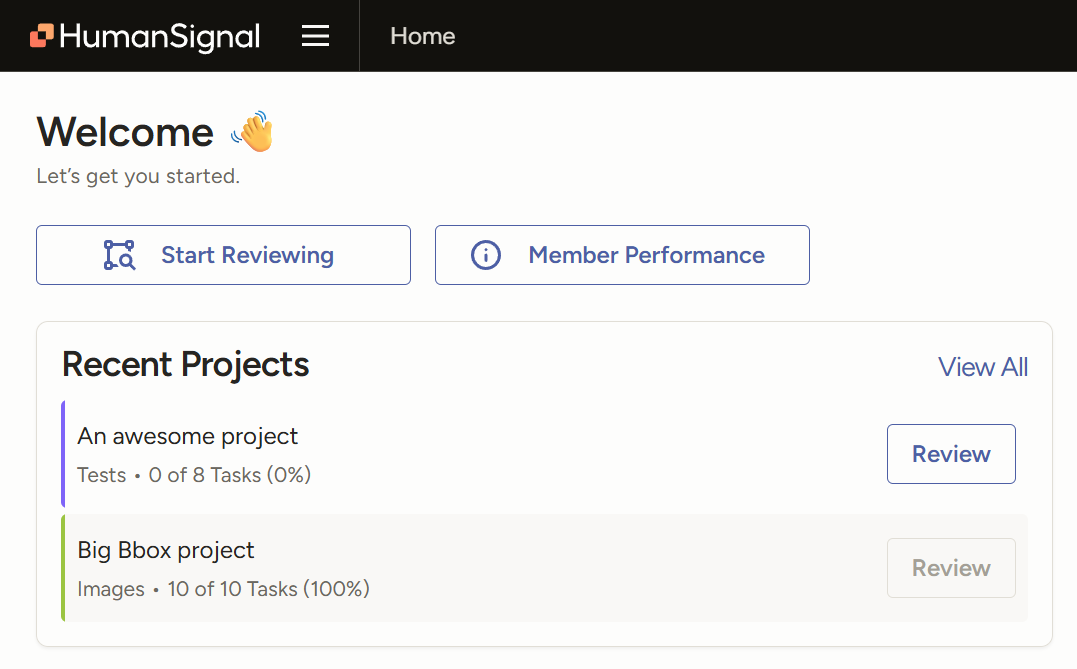
Your recent projects will be on your home page when you sign in. You can choose to pin your priority projects onto this section.
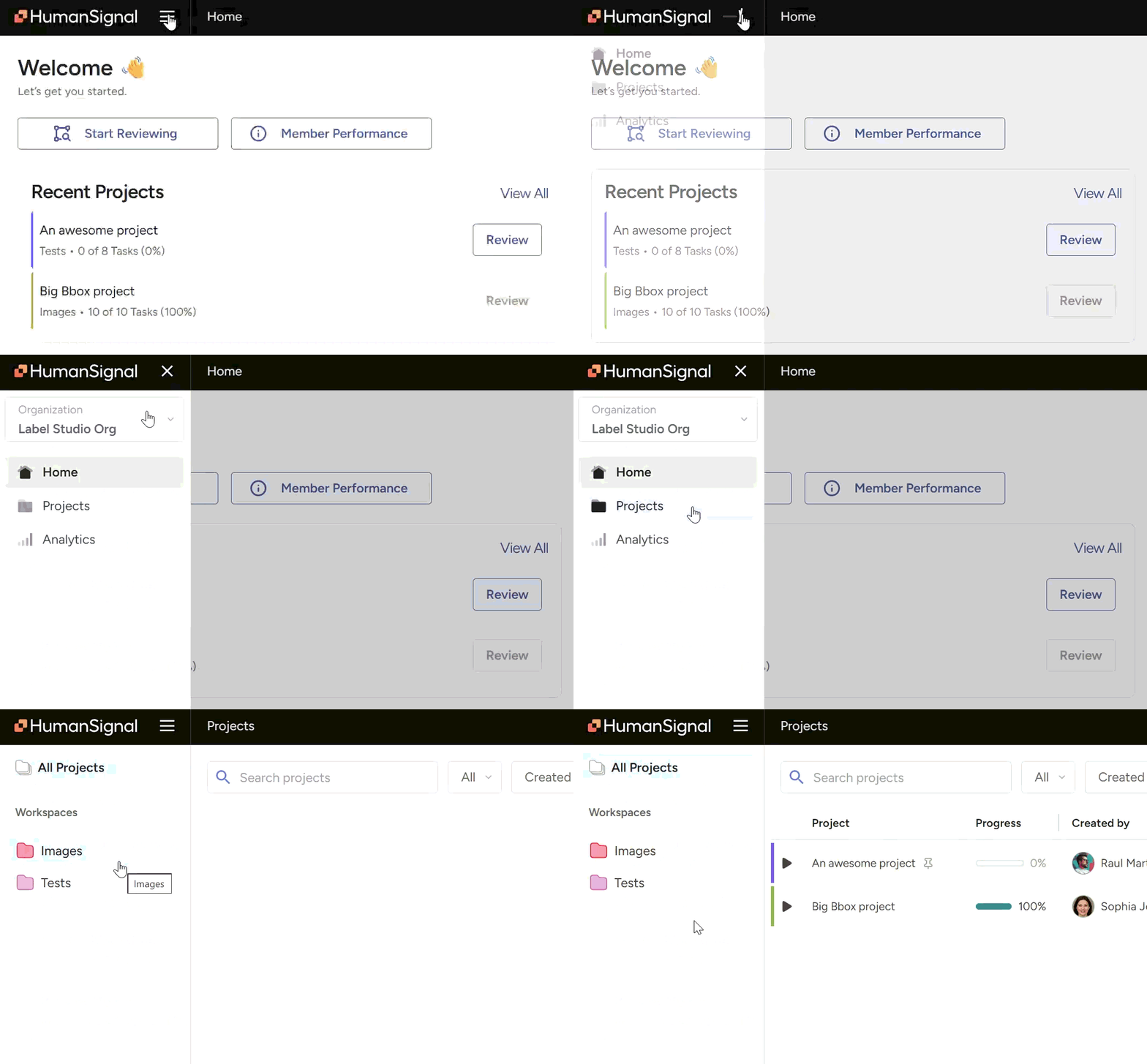
Alternatively, click the hamburger menu at the top of your dashboard to open the side menu and view your Projects folder. If you click the folder and don’t see the correct project listed, your permissions may not be updated yet. Contact your team lead to resolve this.
How Do You Review?
Select the project you want to work on. Instead of a “Label” button like you would have for the annotator flow, you would have a “Review” button.
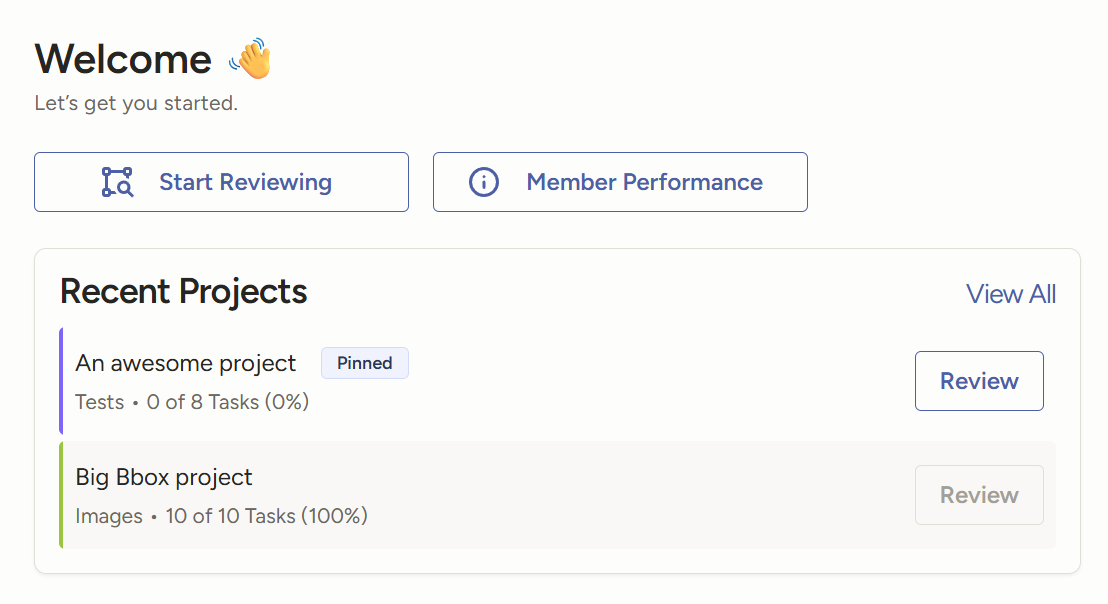
Clicking the “Review” button would bring you immediately into a task to review.
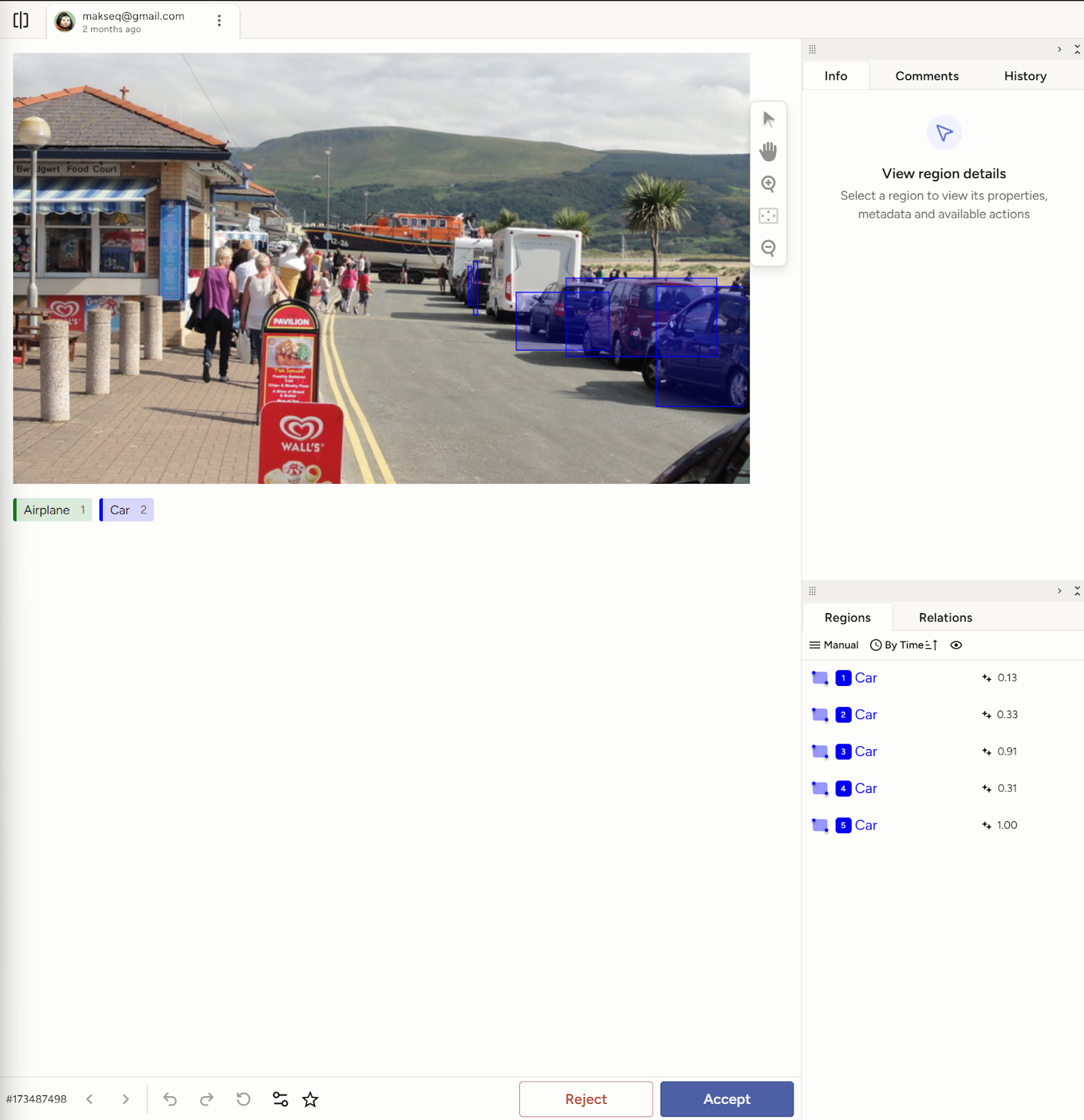
Alternatively, if you click directly onto the project name, you’d be able to look over the task queue in list format in the Data Manager. This view also allows you to see who annotated a task, how many annotations are on any particular queued task, and if it has been approved.
Similarly to the annotation flow, be sure to follow the project protocols, provided by your team lead, on how to proceed with your reviewing.
A reviewer flow may include:
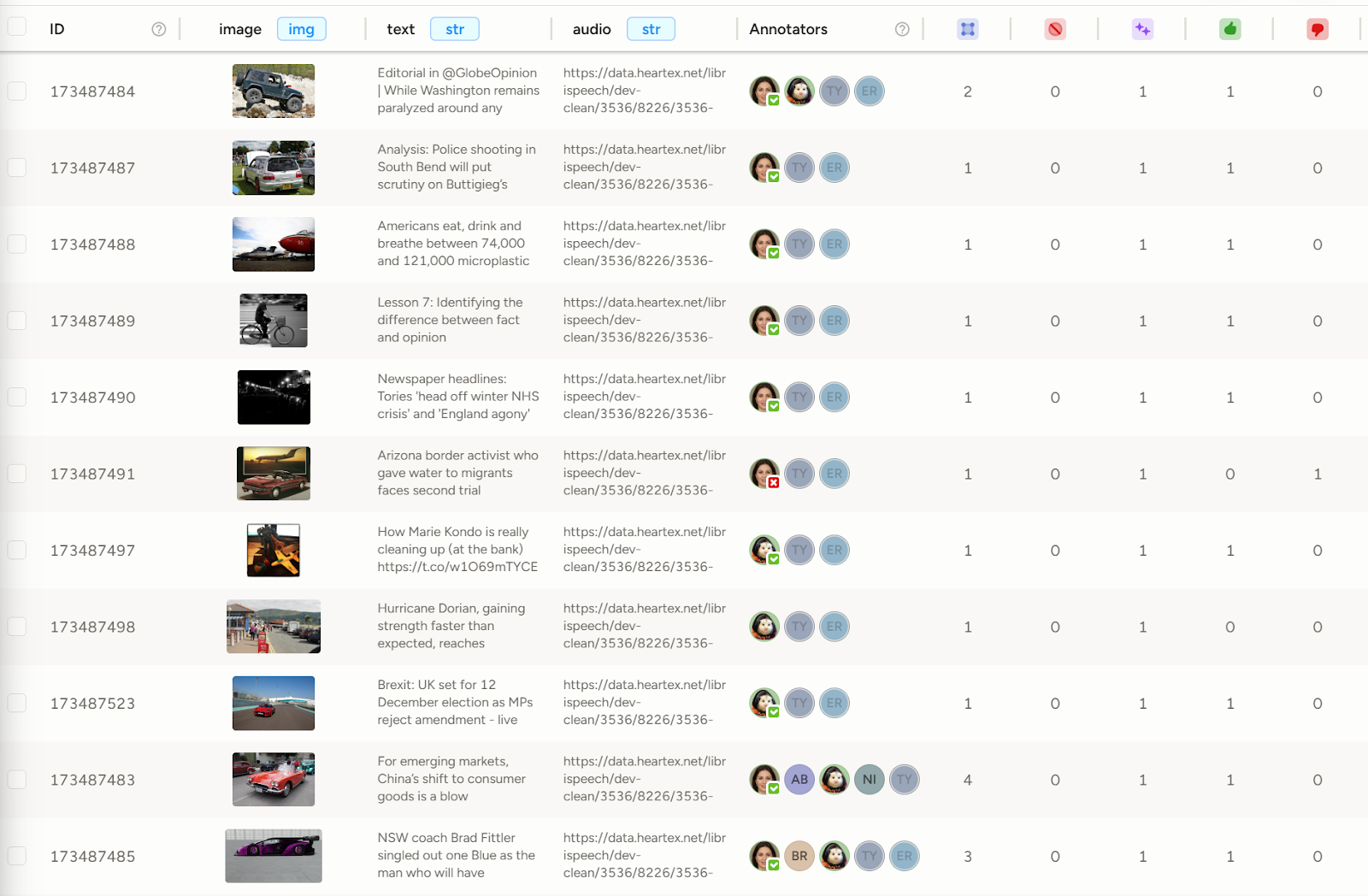
fixing an annotation directly on the task. For example, the image below shows the reviewer adjusting the section on the image.

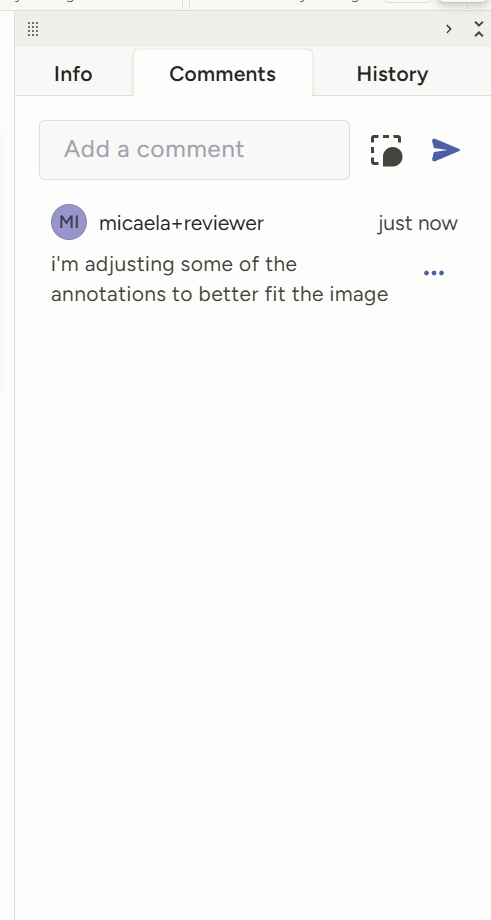
leaving a comment for the annotator to better understand any errors they may have made or the thought process of the reviewer. When leaving a comment, you can choose to optionally link your comment to a specific piece of the annotation by clicking on the box with a chat bubble in the bottom right corner, found here next to the “Add a comment” box. This is a great way to provide pointed feedback to annotators.
Similarly to the annotation flow, you can select “Reject” or “Accept” at the bottom of your page.

After a task has been reviewed, the status of the task will be updated on the queue. If you, the reviewer, did not accept the annotations, it can be cycled back to the annotator to be fixed.
How can I Review my Reviewer Stats?
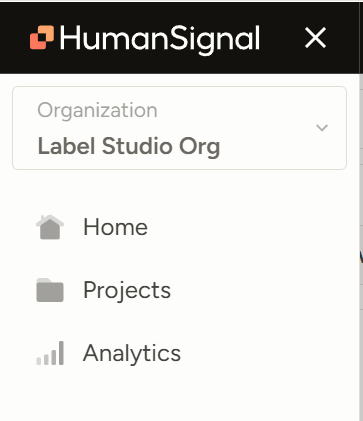
Click on the hamburger menu button at the top of the LSE platform.
Click Analytics.
Select “Reviews” at the upper left-hand corner of the dashboard.
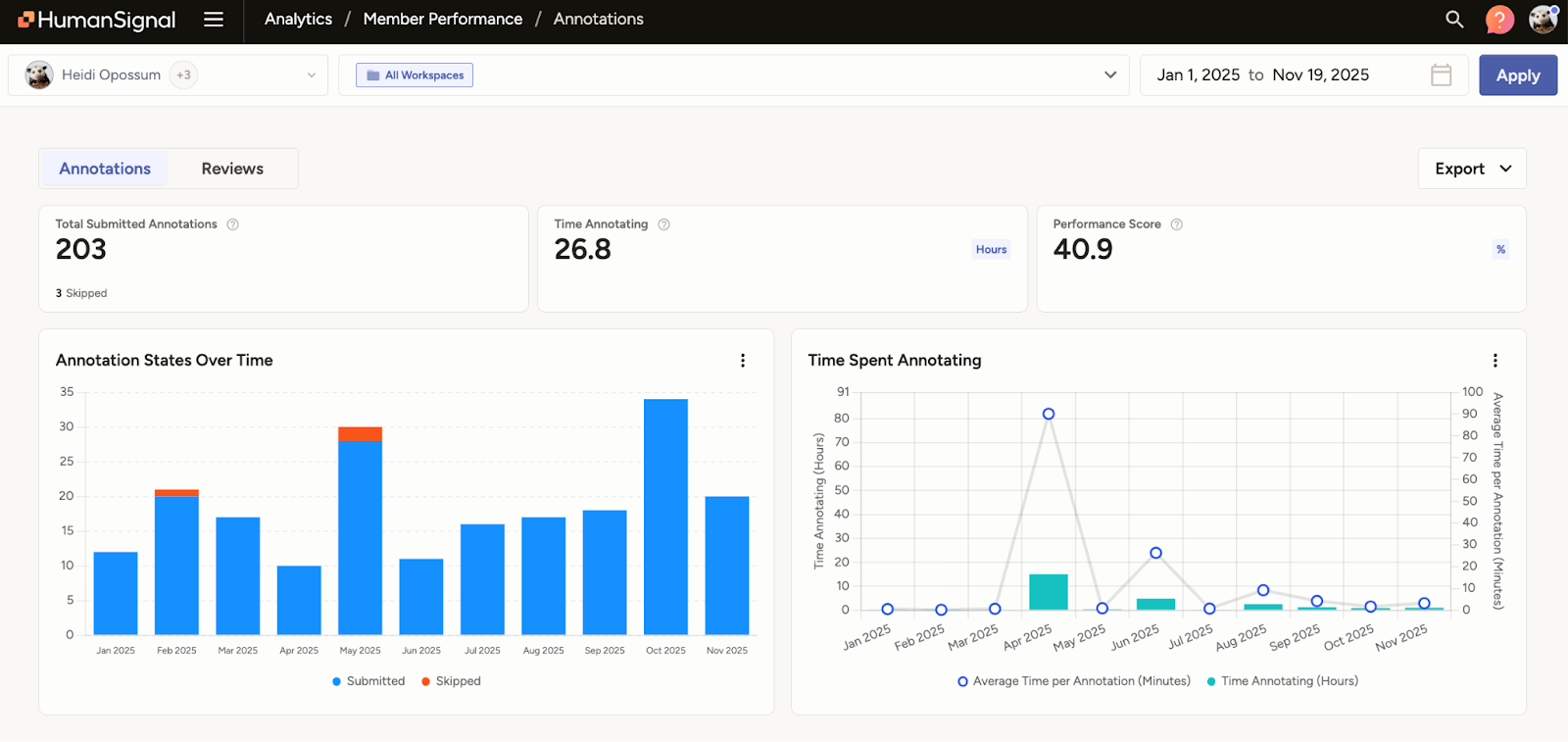
Your overall stats would be included in this dashboard. You can see your total submitted reviews, time spent reviewing, and ratio between “accepted”, “fixed+accepted”, and “rejected” tasks.
The graphs also provide a good visual of your production flow over time. If you want to adjust your date range, you can do so on the upper right-hand corner of the analytics dashboard.
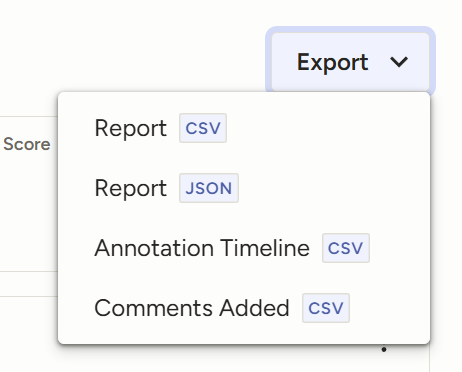
If you choose, you can also export your analytics for your own records.
What Should I Do When I Encounter Issues?
If you are encountering tech issues, be sure to log when you see them. Depending on if it is a once-off or a recurring issue, gather information, such as which tasks (if task-specific) are being affected, and submit it to your team lead.
Take screenshots and see if you can replicate the same issue on multiple tasks. Additionally, if possible, determine if it is an issue just for annotators or reviewers, or if it may be a data issue.
If you notice a specific annotator is having repetitive issues, you should likewise log any past instances, so that your lead can handle the situation with all relevant information in hand.
Reviewer Best Practices
Approach every task as you would as an annotator
Though reviewing involves a different flow than an annotator, you should still evaluate the task as you would if you were annotating it from scratch. This means evaluating every statement of fact provided in a LLM response and verifying that the original annotator did, indeed, check for any hallucinations.
Do NOT assume that, just because a task is a certain length or the previous worker has an SME in the topic, there were no mistakes made or issues overlooked. In fact, you should be even more mindful as it is now your job to catch errors. Human error occurs even to the best team members, whether due to oversight or fatigue.
Regularly refresh yourself on documentation for reviewing (especially if you’ve been a reviewer for a long time)
Just as you would as an annotator, keeping a copy of the project protocols next to you would make it easier to work. Usually team leads provide a separate set of instructions and documents to reviewers, as the workflow may vary, especially if the project involves edits or sendbacks.
Another reason you may want to regularly check the doc is when updates accompany project pivots. Your lead would likely update it with any shifts in instructions that may accompany the pivot, and it would serve as a reminder to not fall back into old workflows, even if accidentally.
Do not assume that everyone approaches a task the same as you
Especially when the original annotator is still correct and all of the information in a task’s response is validated, do not penalize them for proceeding in a different way. If the conclusion is still the same as yours, it does not detract from the quality of work. In fact, modelsLLMs benefit from being provided with multiple ways to reach the same answer.
The main exception to this rule is if a protocol is absolutely mandated by the higher ups (normally due to wanting to test out a specific logic process), but your lead would inform you of these cases.
Investigate if/when you see trends and log them
It is important to differentiate between a once-off error and a recurring issue. While mistakes you’d encounter would likely tend to be human error (e.g. incorrect labeling, missed factuality checks, etc.,), it is possible for glitches to affect the data annotations themselves, from either a bug in the platform or an issue with the data set. If it is not a consistent tech issue, be sure to log it for future reference and surface it with your team when you see it again.
Another possible trend can be annotators’ recurring misunderstanding of a new guideline. In this case, consult with other reviewers and congregate the proper information so you can jointly bring this up to your lead.
Positive patterns should also be logged, like project scoring averages steadily increasing, as these factoids are helpful for team morale. Your lead may not always notice these as quickly, given they may be focused on other analytics at the time, but observed improvements would also be appreciated.
Identify possible gaps in documentation
While onboarding and protocol documents should provide the whole of the flow and instruction of the project, it is possible that there may be issues that higher-ups may not have foreseen. With an increase in complex queries for most data sets, nuance is often introduced, and can not necessarily be evaluated in a binary function.
For example, if a prompt mentions “a handful of ideas,” there is a level of subjectivity introduced due to the usage of a word that has no direct denotation of numerical value. Different data workers may interpret “handful” in a variety of ways. At this point, the lead would need to make an overall ruling; without it, reviewers may grade similar tasks inconsistently, causing confusion amongst the annotators. Letting a scenario like this go until your lead does an audit would cause more work for everyone.
Where possible, offer yourself as a resource
After you have settled in your reviewer duties, take initiative to answer questions for new team members, or offer to help spearhead upskill trainings or learning sessions. Being collaborative helps share project knowledge across the team and ensures that all members (annotators and reviewers) are consistent.
This would show your lead that you’re a team player and potentially ready for more interesting work or responsibilities. Assisting in making sure all annotators and reviewers are equally trained would have an additional side effect of making your work easier.
Provide helpful, applicable feedback specific to each task
Especially in the beginning of a project or when a new wave is onboarded, be detailed in what aspects need to be fixed, and why. It is a learning process and these types of comments foster improvement.
Be mindful of how your reviews may affect individual morale
Though leads should mainly focus on this, reviewers have a portion of responsibility here too. Motivated team members make for more efficient workers, which would also likely reduce the amount of errors per task.
Constructive criticism is necessary when errors are made, but framing it kindly (or even just neutrally) would reduce team discouragement and friction. Feedback is meant to improve the model as a whole, so, while annotators should learn to avoid taking it personally, reviewers should also take care in their language.
Know when/if to ask your Lead to be cycled back into annotators
Keep in mind that reviewing and annotating are two different workflows, so it is imperative to not perceive one flow to be “higher” or “more important” than the other. Some workers have skills more suited for annotation, preferring it as the only work they have to worry about is their own tasks and research. If you find that you do not enjoy reviewing as much as annotating, feel free to let your lead know.
If you’re feeling burn-out from constant reviewing, you can request to be temporarily put back into the annotating pool, as a difference in workflow may help “reset” how you work.